
ムラゴンブログのSNS表示は、
ダッシュボード ⇨ ブログ設定 ⇨
基本設定タブの中の、SNSボタン表示設定から行えます。

こんな感じのボタンですが、、
案外…悪くありませんww
他のブログサービスに比べると、
スマートで統一感あるほうじゃないでしょうか。
なので、このままでもいいんじゃ?
と思いつつ、
カスタマイズってできるのか?トライしてみました。

まずは、
SNSボタン表示設定を“非表示にする”に変えておきます。
デフォルトのをOFFにして、
カスタマイズしたのを表示させる流れです。
やり方は、
はてなブログで行った方法にしており。リンクをこちらへ貼っておきます。

これはFontAwesomeの、
アイコンを使うためのスクリプトを、HTMLのhead内に記述する必要があり。
ムラゴンでできるだろか??
と思ったものの、、
HTMLに書き込むことができ、無事作れたように思います。
まずはダッシュボードのデザイン変更から、
カスタマイズの“テーマを編集”を見れるリンクあり。
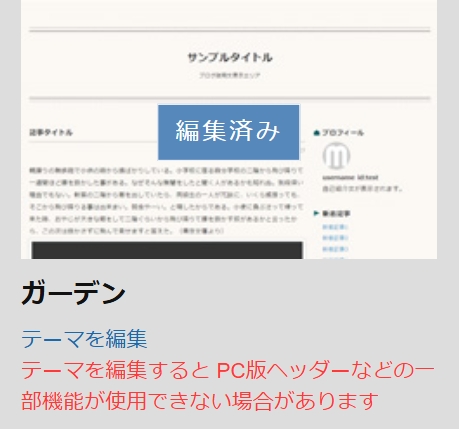
テーマを編集をクリックし、
<head>内に以下を記入します。
<script defer src="https://use.fontawesome.com/releases/v7.0.0/js/all.js"></script>

<head>~</head>タグは
上部のほうに記述されてますんで、そこあたりにご注目。。
~</head>の直前あたりに入れてます。
同じくこのプログラミングコードの中の、
SNSボタンを置きたい場所に、以下を入力します。
ボタンを並べる場所なので、
本文の下あたり…とおぼしき位置にしています。
ですが細かいし、
ビッシリなコードでムズカシぃ~💧
込み入った手順なのをご了承ください。
ご参考までに、、ということで。
<div class="sns-tag-cloud">
<!--<a href="https://b.hatena.ne.jp/entry/{URLEncodedPermalink}" class="sns-tag-cloud-hatenab" target="_blank" data-hatena-bookmark-title="{Title}" data-hatena-bookmark-layout="simple" title="このエントリーをはてなブックマークに追加">
<em class="blogicon-bookmark lg"> </em> ブックマーク </a>-->
<a href="https://www.facebook.com/sharer.php?u={URLEncodedPermalink}" target="_blank" class="sns-tag-cloud-facebook" onclick="window.open(this.href, 'FBwindow', 'width=650, height=450, menubar=no, toolbar=no, scrollbars=yes'); return false;">
<i class="fa-brands fa-square-facebook"></i> facebook </a>
<a href="https://x.com/intent/tweet?text={Title} {URLEncodedPermalink}" target="_blank" class="sns-tag-cloud-twitter">
<i class="fa-brands fa-x-twitter"></i>  </a>
<a href="https://www.instagram.com/?ref=badge" target="_blank" class="sns-tag-cloud-instagram">
<i class="fa-brands fa-instagram"></i> Instagram </a>
<a href="https://www.pinterest.com//" target="_blank" class="sns-tag-cloud-pinterest">
<i class="fa-brands fa-pinterest"></i> Pinterest </a>
<!--<a href="https://line.me/R/msg/text/?{Title} {URLEncodedPermalink}" target="_blank" class="sns-tag-cloud-line">
<i class="fa-brands fa-line"></i> LINE </a>-->
</div>
そしてCSSスタイルシートの記述欄に、
以下を入力します。
/* 記事下ソーシャルボタン 上部の余白 */
.sns-tag-cloud {
margin: 30px 0 10px 0;
}

/* SNSシェアボタン */
.sns-tag-cloud {
padding-inline-start: 0px;
font-size: 12px;
font-weight: bold;
}

.sns-tag-cloud-under {
padding-inline-start: 0px;
font-size: 12px;
font-weight: bold;
text-align:center;
}

a.sns-tag-cloud-hatenab {
display: inline-block;
padding: 10px;
margin:3px;
line-height: 1;
text-decoration: none;
color: #00a4de;
border: 1.5px solid;
border-color: #00a4de;
border-radius: 3px;
width: 100px;
}
a.sns-tag-cloud-hatenab:hover {
background: #00a4de;
color: #fff;
}

a.sns-tag-cloud-facebook {
display: inline-block;
padding: 10px;
margin:3px;
line-height: 1;
text-align: center;
text-decoration: none;
color: #4064ac;
border: 1.5px solid;
border-color: #4064ac;
border-radius: 3px;
width: 100px;
}
a.sns-tag-cloud-facebook:hover {
background: #4064ac;
color: #fff;
}

a.sns-tag-cloud-twitter {
display: inline-block;
padding: 10px;
margin:3px;
line-height: 1;
text-align: center;
text-decoration: none;
color: #000000;
border: 1.5px solid;
border-color: #000000;
border-radius: 3px;
width: 100px;
}
a.sns-tag-cloud-twitter:hover {
background: #000000;
/*background: #1da1f2;*/
color: #fff;
}

a.sns-tag-cloud-instagram {
display: inline-block;
padding: 10px;
margin:3px;
line-height: 1;
text-align: center;
text-decoration: none;
color: linear-gradient(45deg, rgba(254,212,117,1) 0%,rgba(229,61,93,1) 50%,rgba(194,49,134,1) 70%,rgba(156,56,187,1) 100%);
border: 1.5px solid;
border-color: linear-gradient(45deg, rgba(254,212,117,1) 0%,rgba(229,61,93,1) 50%,rgba(194,49,134,1) 70%,rgba(156,56,187,1) 100%);
border-radius: 3px;
width: 100px;
}
a.sns-tag-cloud-instagram:hover {
background: linear-gradient(45deg, rgba(254,212,117,1) 0%,rgba(229,61,93,1) 50%,rgba(194,49,134,1) 70%,rgba(156,56,187,1) 100%);
color: #fff;
}

a.sns-tag-cloud-pinterest {
display: inline-block;
padding: 10px;
margin:3px;
line-height: 1;
text-align: center;
text-decoration: none;
color: #bd081c;
border: 1.5px solid;
border-color: #bd081c;
border-radius: 3px;
width: 100px;
}
a.sns-tag-cloud-pinterest:hover {
background: #bd081c;
color: #fff;
}

a.sns-tag-cloud-line {
display: inline-block;
padding: 10px;
margin:3px;
line-height: 1;
text-align: center;
text-decoration: none;
color: #21ba4e;
border: 1.5px solid;
border-color: #21ba4e;
border-radius: 3px;
width: 100px;
}
a.sns-tag-cloud-line:hover {
background: #21ba4e;
color: #fff;
}
保存ボタンをお忘れなく。
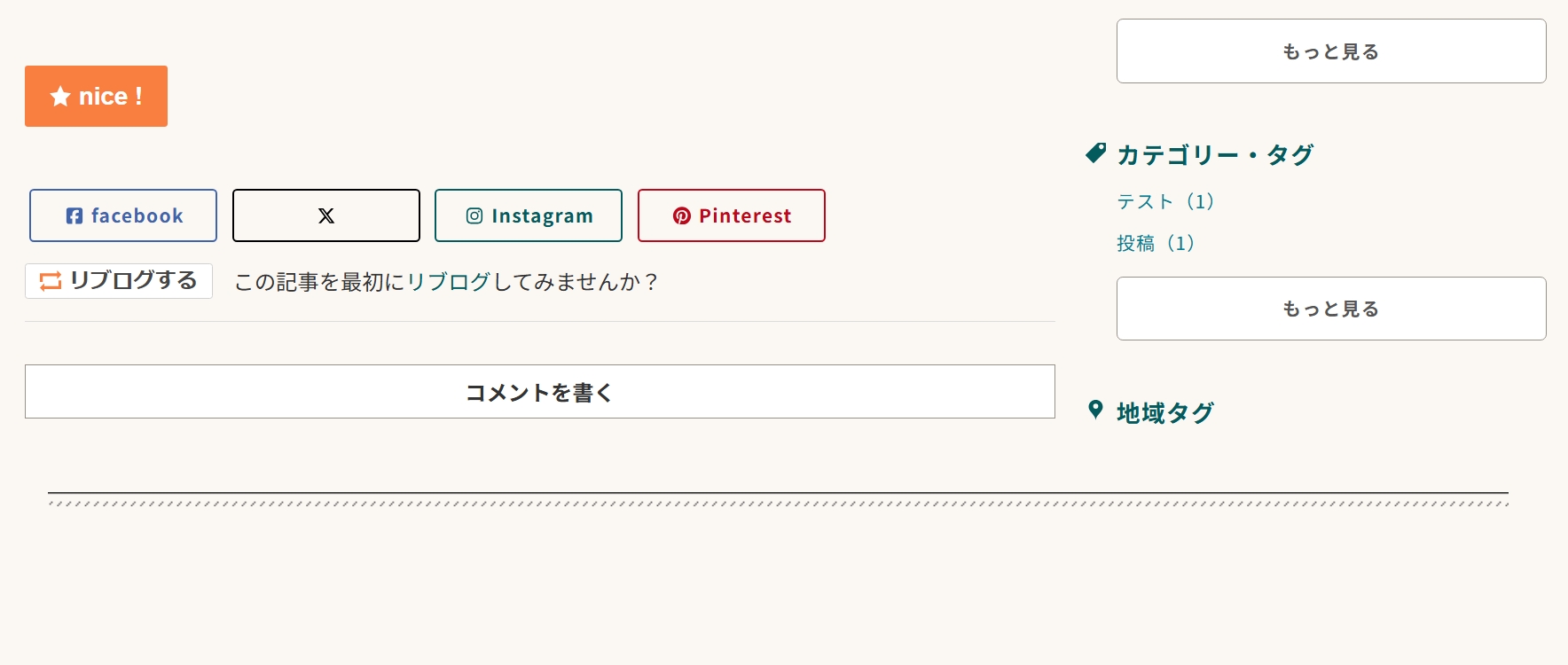
SNSボタンをクリックして飛ぶ先は、
各ログイン画面になります。
これはムラゴンにデフォルトのSNSボタンでも同じでした。
ただ、これはPCでの見えかた…
スマホだと表示されませんでした~🫠


コメント